

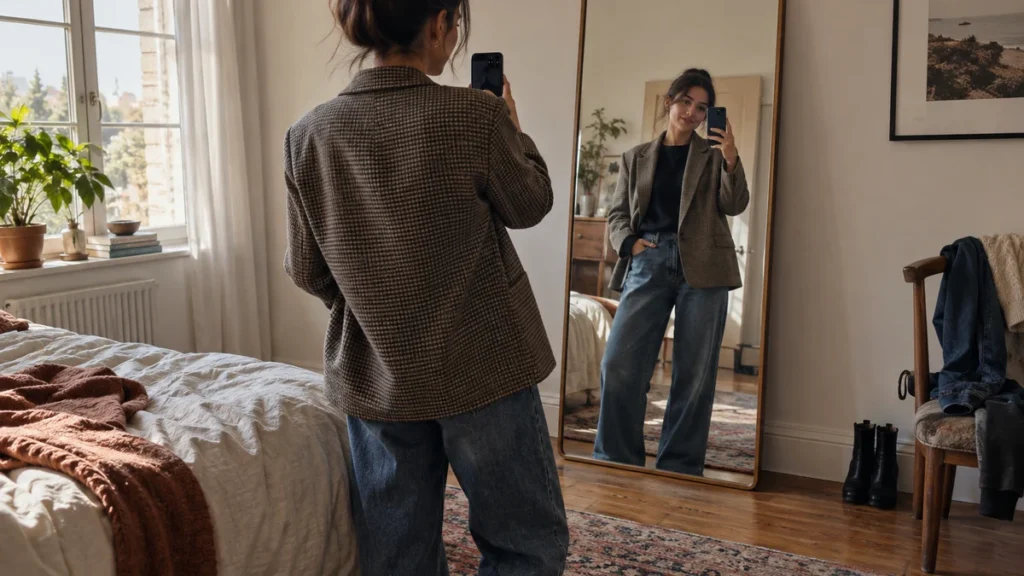
Can TryFits AI show clothes on your body before you buy? Yes. TryFits AI uses generative AI to create a visual try-on of an outfit on your own image. Its FAQ describes the result as a way to see how clothes may look, drape and fall on your body. It is a preview for judging a style, not a promise that a particular size will fit.
That distinction is useful when a product photo leaves you with a question the model cannot answer. Will a boxy jacket look crisp or overwhelm the rest of your outfit? Does a midi skirt end at a length you like with your usual shoes? Seeing a garment on yourself can help you decide whether the silhouette is worth investigating before you place an order.
Start with one specific decision rather than asking a preview to settle everything. Compare a cropped jacket with a hip-length one, or a straight skirt with an A-line shape. Keep the top, shoes and camera view as consistent as possible so you can focus on the change you actually care about.
What the TryFits AI preview can help you judge
According to the TryFits AI support guide, you can also describe an outfit for the AI to design and put on you. That makes the preview useful for exploring a look even when you do not yet have a particular product in mind. A description such as “a charcoal wool blazer over a cream fine-knit top with straight black trousers” gives you a more actionable starting point than “something smart.”
Look first at the overall outline. A cropped blazer may leave more of a high-waisted trouser visible, while a longer blazer may create a continuous line over the hip. A fluid blouse might sit softly under either option; a thick cable knit may change the balance. The generated image can help you see which combination you prefer on yourself, although it cannot tell you exactly how those real fabrics will behave.
Color placement is another good question for a visual try-on. Compare an ivory shirt under a navy jacket with a rust shirt under the same jacket, keeping everything else unchanged. You are assessing the effect of those colors near your face and against your existing outfit, not asking the image to certify the precise shade you will receive. Screens, lighting and product photography can all alter color.
Length deserves a separate look. Try a knee-length coat against a mid-calf option with the trousers and shoes you actually wear. If the longer coat makes your preferred trouser shape less visible, that is useful style information. For more detailed comparisons across an outfit, see our guide to comparing outfit proportions with AI virtual try-on.
How to make a comparison that answers a real shopping question
Choose a clear image of yourself with your body visible and as little obstruction from bags, hair or bulky layers as practical. Then decide what will stay fixed in the outfit. If you are shopping for a rain-friendly autumn jacket, keep the same dark jeans, fine-gauge jumper and ankle boots while comparing jacket lengths and shapes. Otherwise, a change in shoes or trousers can distract you from the purchase decision.
- For a work jacket: Compare a single-breasted navy blazer with a softly structured charcoal one over the same shirt and trousers. Check the shoulder line, jacket length and amount of shirt visible.
- For a dinner dress: Compare a column shape with a gently flared skirt in a similar color. Look at the neckline and where each hem sits with the shoes you plan to wear.
- For a cold-weather layer: Preview a short quilted jacket and a longer wool coat over the same knit. Judge the silhouette, then check the real garments’ warmth and care details separately.
Keep a short note after each comparison: “prefer the longer jacket with straight trousers” is more useful than “look one wins.” It tells you what to search for if the original item sells out or falls outside your budget. If two previews look equally good, let the practical details decide: fabric composition, pocket placement, closure, cleaning requirements and how often each piece would work with clothes you own.
Where a visual try-on stops being a fit test
A generated image cannot measure the physical space inside a sleeve or tell you whether a waistband feels comfortable after lunch. It cannot establish how much a wool coat weighs, whether a linen blend scratches your skin, or whether an armhole allows easy movement. A preview may depict drape convincingly without reproducing the exact behavior of a specific fabric in motion.
For sizing, use the retailer’s measurements and the garment’s construction details. Compare the listed bust, waist, hip, shoulder and length measurements with a similar item you already like, allowing for the ease the design needs. A fitted woven shirt generally needs a different amount of room from a stretch jersey top. If the listing provides only a size label and no measurements, ask the seller for more information before relying on the image.
Look closely at photographs of the actual product too. Check whether a skirt has a lining, whether a trouser waistband is elasticated, and whether a coat closes fully. Read the return policy before purchasing, especially for occasionwear or altered items. The try-on can narrow the visual choice; those checks help answer the physical and financial questions it cannot.
If the preview shows an odd seam, an inconsistent print or an unexpectedly smooth fabric, do not treat that detail as evidence about the garment. Generative images can approximate or alter fine details. Return to the product listing for stitching, texture and hardware, and use the preview for the larger question: do you like the look of this shape and styling direction on yourself?
Use the preview to choose between realistic alternatives
Suppose you need an outfit for a cool, damp day that moves from an office to dinner. Preview a knee-length wool coat over tailored trousers and a thin merino knit. Then compare a shorter water-resistant jacket with the same base outfit. The wool coat may give you the cleaner line you want indoors, while the other option may suit the forecast better. The image helps with appearance; the weather rating and fabric specification settle practicality.
Or imagine choosing between two dresses for an event. One is a satin slip with a narrow strap and fluid skirt; the other is a crepe dress with sleeves and a defined waist seam. Preview each with the same low heel and outer layer. You may discover that the outer layer works neatly over one neckline but bunches visually over the other. Before buying, confirm the dress lengths and fabric care instructions, and consider whether you can sit and move comfortably in the cut.
The most productive question is not “Will this fit me perfectly?” but “Is this the shape I want to pursue?” Use TryFits AI to shortlist a silhouette and outfit combination, then use measurements and product information to choose a size. If a retailer offers easy returns, keep that policy as a safeguard rather than a substitute for checking the details first.
Common questions
Does TryFits AI tell me what clothing size to buy?
No. Its visual try-on can help you judge how an outfit may look on your body, but it is not a guaranteed size recommendation. Check the retailer’s size chart and garment measurements against clothing you own.
Can I preview an outfit I describe rather than a store item?
Yes. The TryFits AI support guide says you can describe an outfit for the AI to design and put on you. Use that option to explore a silhouette or color combination, then verify any real garment’s specifications before buying.
What should I check after I like a virtual try-on?
Confirm the actual item’s measurements, fabric composition, lining, closures, care instructions and return terms. If possible, compare its measurements with a garment you wear comfortably. Let the preview guide your style choice, and let the product details guide your purchase.