

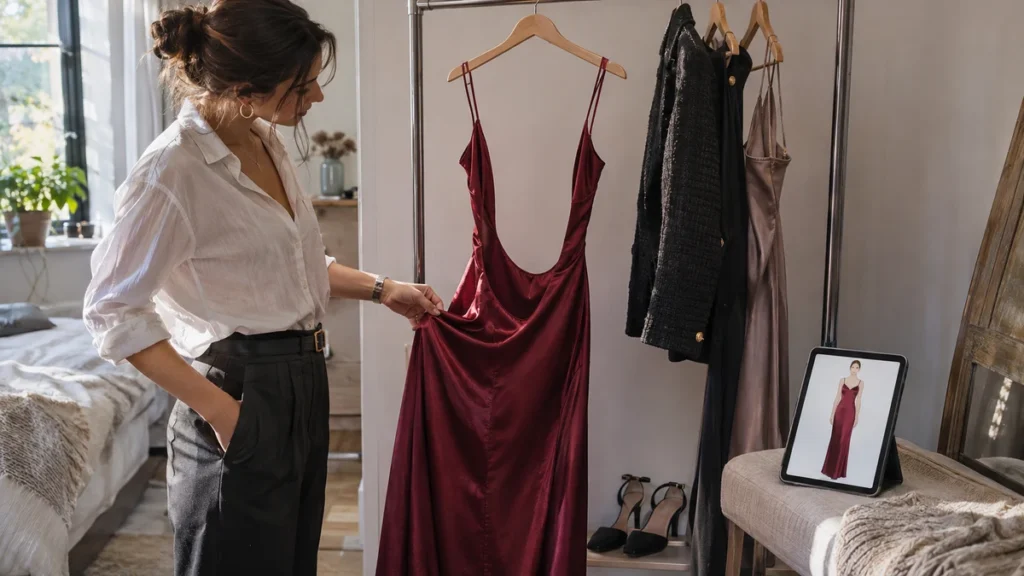
Virtual try on for backless dresses can help you consider the overall outfit, but a front-facing result cannot establish how the back will look or fit. TryFits AI describes photo-based outfit previews on a digital twin, alongside live fitting and video features. The supplied product information does not establish a dedicated rear-view control or reliable reconstruction of an unseen dress back.
That makes the useful question more specific: can you picture the dress on yourself well enough to shortlist it, while checking its open-back construction separately? Yes. Use the preview to consider the visible silhouette and styling, then use the retailer’s rear photographs, measurements and construction details to investigate what the preview cannot confirm.
A black column dress with a high front neckline might look almost identical to another from the front, yet one has a small keyhole and the other opens below the waist. If the open back is the reason you want it, an attractive front preview answers only part of your shopping question.
What TryFits AI can contribute to the decision
According to the TryFits AI FAQ and its support information, users create a digital twin from a full-length photograph or a selfie plus measurements. Clothing can come from a product link, an uploaded garment image, the in-app browser or their own closet. These are the company’s descriptions, not independent evidence of sizing or construction accuracy.
For a backless dress, use that process to explore the outfit you will see from the available viewpoint. Does a long, narrow skirt feel right with your chosen footwear? Would you prefer a high neckline or a softer scoop at the front? Treat the generated image as a visual proposal rather than a fitting-room photograph.
The site’s references to video and live fitting do not, by themselves, prove that every hidden garment detail will appear correctly. A moving generated result is not evidence that the app has observed the actual back of the dress. If a rear detail appears without supporting source imagery, leave it unconfirmed.
Check the retailer’s back photographs first
Before generating a preview, find photographs showing the exact dress from behind. Match the product name and colour, since similar-looking versions can have different closures or straps. A front photograph and the phrase “open back” are not enough to distinguish a shallow opening from a very low cut.
Read the description for the fastening and support arrangement. A halterneck, crossed straps, adjustable ties and a fixed shoulder strap each create different practical questions. Look for information about lining, built-in cups, elastic edges and the zip position, but do not assume any of these features are present unless stated.
- Locate the bottom of the opening relative to the waist seam.
- Check whether straps are adjustable or fixed.
- Identify ties, hooks, buttons and zips you will need to reach.
- Look for a rear walking slit on narrow skirts.
- Ask the retailer for missing construction details before ordering.
Keep these facts separate from the try-on image. If the retailer shows a horizontal back strap but the preview omits it, the strap remains part of the purchase. Do not let a cleaner generated silhouette replace the actual product specification.
Build one useful preview, not an imagined redesign
Start with a clear source photograph that follows the app’s current guidance. Use the exact retailer item through a supported input method, rather than describing a generic backless dress when your decision concerns a particular product. A description-generated outfit can explore an idea, but it cannot establish that a retailer’s dress has the same construction.
Choose your existing shoes and outerwear before comparing alternatives. For example, assess a chocolate satin maxi against the black ankle boots and straight wool coat you already own. This gives you a concrete decision: whether the dress belongs in that outfit, rather than whether an entirely new generated look is appealing.
Compare only one styling change at a time. Try the same dress with a cropped jacket instead of the long coat, or consider a midi alternative instead of the maxi. Check that the dress remains recognisable in each result; changed straps, missing seams or a different neckline are reasons to return to the product photographs.
Three backless dress outfits to assess
A satin column dress for an indoor dinner
Consider an ink-blue satin column dress with a high front neckline, an open back and burgundy slingbacks. The preview can help you judge whether you enjoy the restrained front and long silhouette. Check the retailer’s fabric composition and lining separately, since “satin” describes a weave and does not establish warmth, stretch or opacity.
For a cold journey, add a long wool coat and plan somewhere to leave it indoors. If your evening involves substantial outdoor waiting, choose a closed-back dress instead. A convincing image cannot make exposed skin comfortable in winter weather.
A jersey midi for a relaxed evening
A long-sleeved black jersey midi with a modest back opening works visually with flat leather boots and a short jacket. Compare it with a closed-back version if you want an outfit that accommodates your usual underwear. Read the fibre content and stretch information; a generated smooth surface cannot tell you whether an edge will stay secure while sitting.
A structured dress for a formal reception
Try a forest-green crepe dress with a square front neckline and block-heel pumps. A preview can help you choose between a straight skirt and a fuller one, but the open back needs a separate support check. If tailoring is also a concern, use the same cautious approach described in our guide to virtual try on for clothing alterations: a visual change is not proof that construction will work.
Reserve these checks for the real dress
Plan underwear around the actual opening, not the generated one. A low-back bra may still show beneath a deeper cut, and adhesive products have their own instructions and suitability limits. If you need dependable support from your usual bra, prioritise a dress with a compatible back rather than relying on an uncertain workaround.
When the dress arrives, test sitting, walking and reaching forward with your intended underwear and shoes. Check whether the back edge shifts, straps pull or the skirt restricts your stride. Keep tags attached and follow the return conditions while checking comfort and coverage at home.
Common questions
Can TryFits AI show the back of a backless dress?
The supplied TryFits AI information describes image previews, live fitting and video, but does not establish a dedicated rear-view feature. Check the current app controls, and do not assume an unseen back has been reproduced accurately.
Can virtual try on tell me which bra to wear?
A preview cannot verify support, adhesion or whether underwear will remain concealed during movement. Compare the actual dress opening with your underwear, read both products’ guidance and test them together before the occasion.
Should I buy a backless dress based on a virtual preview?
Use the preview to shortlist the look, then check rear photographs, construction, sizing information and return terms. If the retailer cannot show or explain the back clearly, choose a better-documented dress before committing.