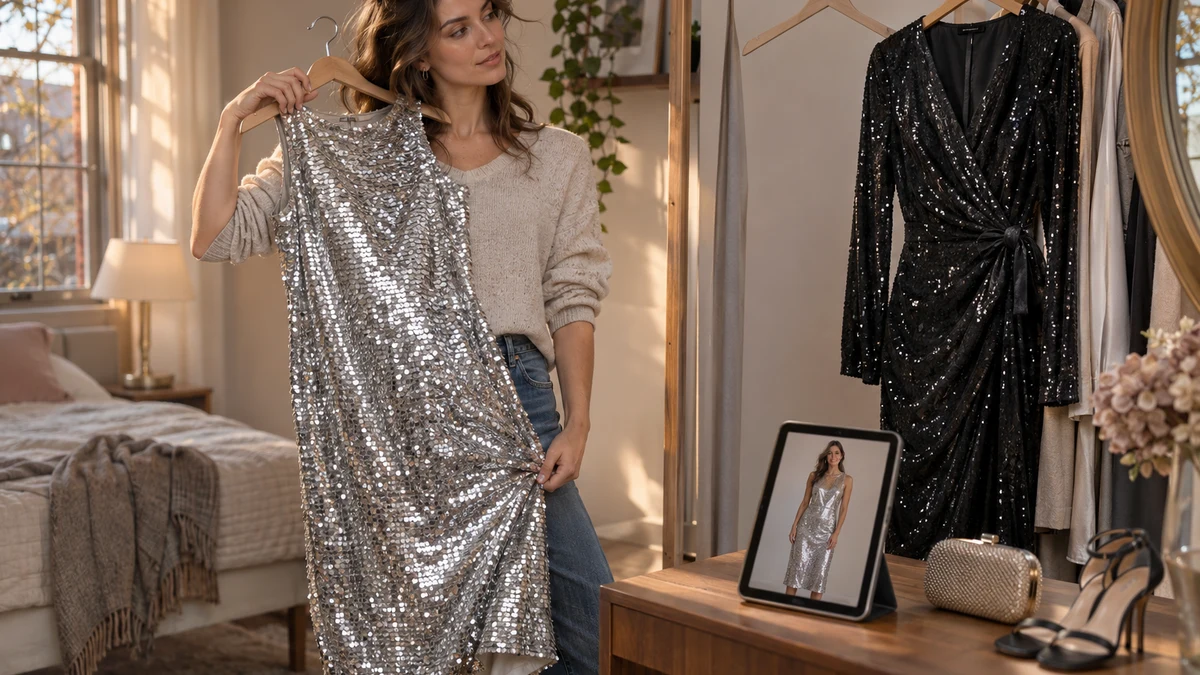
Virtual try on for sequin dresses can help you judge whether you like the overall look on yourself before buying. Use it to explore a straight silhouette versus a wrap shape, or an all-over silver dress versus a quieter black version. Do not use the preview to confirm exact fit, lining coverage or how the sequins will sparkle under real lights.
TryFits AI creates a digital twin from a photo and lets you preview clothes using store finds, product links or garment photos. Its supplied guidance describes the result as an AI-generated visualization of how clothing may look and drape, rather than a guarantee of sizing or fit.
That makes a sequin dress an especially useful case: the outfit can look completely different once you add your own coat, rather than the retailer’s party styling. The question is not simply whether you like sequins. It is whether this much shine, in this shape, works with what you actually plan to wear.
 LIVE FITTING

What a sequin dress preview can help you decide
Start with the area covered by sequins. A long-sleeved maxi creates a much larger reflective surface than a sleeveless knee-length shift. A preview can help you assess whether you enjoy that visual presence on yourself, without treating a more understated choice as automatically better.
Next, look at the outline. A straight column gives the sequins an uninterrupted surface; a wrap dress breaks that surface with a diagonal line. Gathered fabric creates another effect again. Compare the broad shapes, but check construction photographs before trusting the exact position of a fold or fastening.
Colour is another useful starting point. Black sequins with black tights create a more continuous look than pale silver above dark legs. Bronze with chocolate brown can feel softer than silver with black. Screen settings and generated lighting can alter shades, so shortlist a colour family rather than expecting a precise match.
Build the preview around one actual decision
Choose a question narrow enough to answer visually. For example: would you wear a black sequin midi with your everyday winter coat, or does it only appeal with the retailer’s cropped evening jacket? Keep the dress as the focus rather than changing every part of the outfit at once.
Use the actual product link or a clear garment photo when assessing a particular dress. TryFits AI supports both inputs, according to the supplied product information. A described outfit can explore an idea, but an imagined silver dress is not evidence about a specific silver dress for sale.
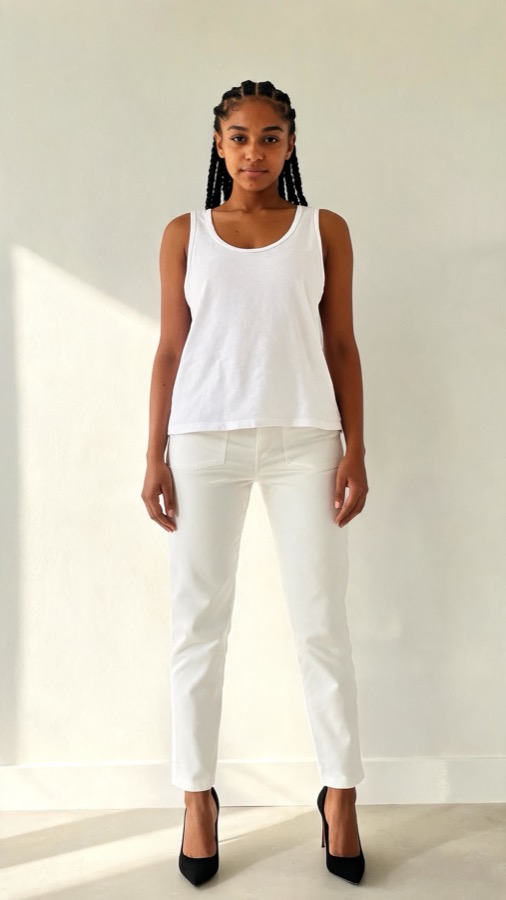
Use a clear, recent photo for your digital twin and follow the app’s photo guidance. Keep your reference consistent when comparing options. You want to notice differences between the dresses, not become distracted by changes in your pose or the underlying image.
Then compare two plausible outfits. Try the sequin dress with pieces from your closet, keeping the supporting clothes as consistent as possible. Write down the decision in ordinary language: “I prefer the shorter dress with a long coat,” or “The bronze version works with my brown accessories.” Neither conclusion requires a claim about exact fit.
Three outfit comparisons worth making
A black sequin midi for dinner after work
Start with a straight black sequin midi, a charcoal wool coat and opaque black tights. The restrained colours let the surface texture carry the outfit. Compare it with a black blazer if your evening is mostly indoors; the shorter layer exposes more of the dress.
For cold weather, consider closed shoes and a coat that covers enough of your legs for the journey. A preview can suggest how the layers look together, but cannot establish warmth or whether a blazer sleeve catches against sequins. Check both physically when the dress arrives.
A silver mini with a substantial winter coat
A silver mini with a black wool coat gives a clear contrast between a small bright dress and a larger matte layer. Compare that with a navy coat if black feels too stark. Keep the rest simple so you can judge whether you like the silver itself.


If bare legs are impractical, assess the dress with opaque tights rather than planning around an outfit you will not wear outside. For a seated meal or taxi journey, check the real dress’s hem while sitting. The generated standing view cannot tell you whether it rides up.
A bronze sequin dress with everyday knitwear
For a less formal dinner, consider a bronze sleeveless dress beneath a chocolate cardigan, with dark brown footwear. Compare a fine-gauge knit with a more substantial cardigan: the finer version leaves a cleaner outline, while the heavier one introduces more visible volume.
Treat the knit as a practical test as well as a styling choice. Sequins can catch delicate yarns, depending on their edges and attachment. Our guide to which cardigan buttons to fasten offers ways to adjust the opening without replacing the whole layer.
What the generated image cannot verify
The TryFits AI FAQ is the reference for the product’s visualization claims. A convincing image is still not a physical fitting. With sequins, several purchase decisions need information that a generated surface cannot supply.
First is the shine itself. Sequin size, finish and placement affect reflection, and real lighting changes the result. Ask the retailer for an unfiltered daylight clip and an indoor clip if brightness is your main concern. Treat an AI-generated motion preview as visualization, not footage of the garment.
Second is comfort. Check whether the dress is lined through the bodice, skirt and sleeves, rather than assuming one lining description covers everything. Exposed sequin edges near the underarms or neckline may feel uncomfortable. A smooth-looking preview cannot establish how those edges feel against skin.
Finally, verify measurements, stretch and fastening. Compare the retailer’s size chart with your measurements, read the fabric composition, and check the return policy. If the listing leaves those questions unanswered, request details before ordering. Prefer a returnable option when comfort or sizing remains uncertain.
Common questions
Can virtual try on show how much a sequin dress sparkles?
It can suggest a shiny appearance, but cannot verify the garment’s actual sparkle in daylight, restaurant lighting or flash photography. Look for retailer video showing the real dress moving under different lights. Use the generated preview to assess the overall outfit, not to measure reflectivity.
Can TryFits AI tell me which size sequin dress to buy?
Its visualization is not a guarantee of exact sizing or fit. Use the retailer’s measurements, stretch information and fit guidance to choose a size. When trying the real dress, sit down, raise your arms and walk to check restriction and hem movement.
What should I check when my sequin dress arrives?
Try it with the underwear, tights and outer layer you intend to wear. Check lining coverage in bright light, feel around the armholes for scratchy edges, and inspect the fastening. Test sitting and walking before removing tags, following the retailer’s return conditions.