Can TryFits AI Live Fitting replace a mirror? For previewing an outfit you do not physically have, it can offer something a normal mirror cannot. TryFits AI describes Live Fitting as a camera feature that shows outfit changes in real time. It does not replace checking actual clothes for comfort, fastening, coverage or movement.
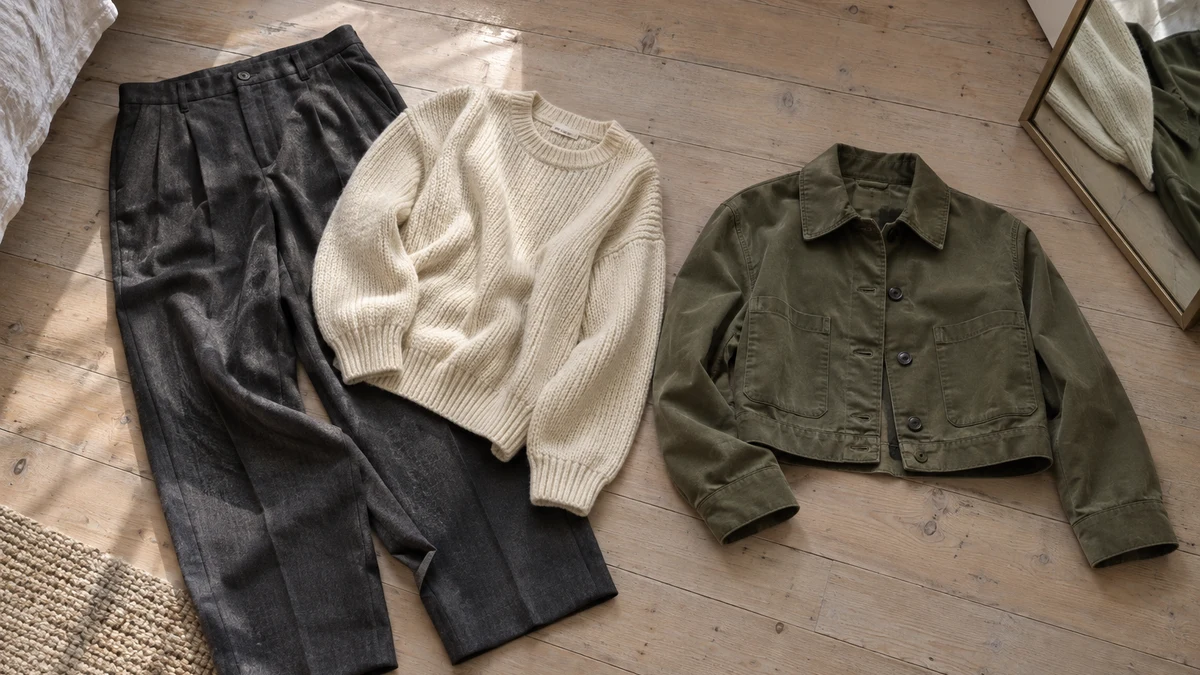
Think of the familiar shopping dilemma: you own charcoal trousers and a cream knit, but the cropped olive jacket you are considering exists only on a retailer’s website. A mirror shows your current outfit. A virtual preview can help you consider the proposed combination before the jacket arrives.
The useful question is not whether the screen looks convincing enough to buy immediately. It is whether that jacket earns a place beside clothes you already wear. Start with one familiar outfit, introduce one potential purchase, and use the preview to decide what needs closer investigation.
 LIVE FITTING

What Live Fitting and your digital twin do
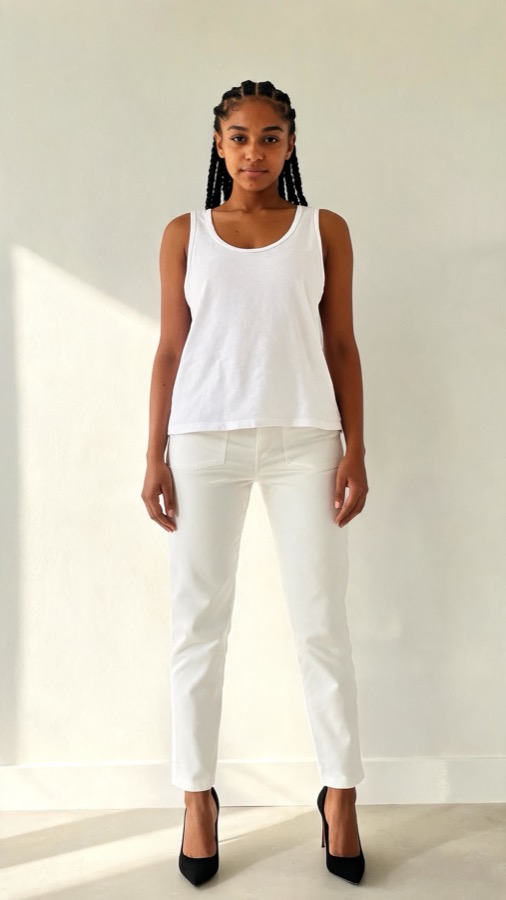
According to the TryFits AI support guide, you can create a digital twin from a full-length photo, or from a selfie plus measurements. The company describes ways to try garments through its in-app store browser, a product link or uploaded garment photos. These are different routes for bringing a clothing idea into the try-on process.
Look Builder and Live Fitting have related but separate purposes. The company describes Look Builder as combining closet items and store finds into complete outfits. Live Fitting is described as showing outfit changes through your camera in real time. Building a combination and viewing it through the camera are not the same task.
The supplied guidance does not establish that every garment, retailer or device works equally well with every feature. Follow the current in-app instructions rather than assuming a particular import button, supported website or camera workflow. The company’s FAQ describes photorealistic results, but that is not an independent accuracy assessment.
Start with clothes whose real fit you know
A familiar base outfit makes a proposed purchase easier to judge. Choose trousers you wear regularly and a simple top, rather than introducing several unfamiliar pieces together. Your knowledge of the real garments gives you a reference when the generated image looks unusually smooth or changes their apparent shape.
For example, use straight charcoal wool trousers with a cream fine-gauge merino jumper. Consider an olive cotton-twill jacket as the new item. Look at whether its apparent hem creates the waist position you want and whether the olive feels right beside the cream, rather than treating the preview as proof of sleeve length.
For closet uploads, photograph garments clearly in even light, with sleeves and hems visible. Avoid folding a jacket across its fastening or letting a dark blouse disappear into a dark background. These are sensible preparation steps for an image-based preview, not a promise that the system will reproduce every detail correctly.
Use the store browser or product-link route for the exact item you are considering, where supported. Check that the retailer’s selected colour matches your reference. A photograph of a similar olive jacket cannot establish how a different jacket’s shoulder construction, pockets or fabric will look.
Use the camera preview to answer one styling question
Give each preview a narrow job. Instead of asking whether an entire outfit is good, ask whether you prefer a shorter jacket with these trousers, or whether burgundy feels more useful than black with your existing knitwear. A focused question makes it easier to notice what changed.
- Keep the same base outfit while considering different jackets.
- Compare the overall colour balance before inspecting small details.
- Check whether hems, closures or garment edges look distorted.
- Write down the physical checks still needed before buying.
For a camera-based preview, use a well-lit space and position yourself so the relevant outfit is visible. Keep your distance and lighting reasonably consistent between comparisons. Do not judge a trouser-and-jacket combination from a view that cuts off the waistband or most of the legs.
If a garment edge shifts strangely or an important detail disappears, leave that question unresolved. A jacket that appears neatly closed in a generated view may still pull across the back in real life. Our guide to why your virtual try-on looks different from the photo offers useful context for reading these differences.


Three outfit decisions worth previewing
An everyday jacket for changing weather
Build around dark straight jeans and an oatmeal cotton knit, then consider a navy cotton-twill jacket against an olive version. Navy gives a quieter, closely related combination with the denim; olive adds a clearer colour change. Preview which you prefer, then check the actual lining and fabric weight for your local temperatures.
For wet commutes, a jacket’s appearance cannot establish rain protection. Read its weather-performance information and care instructions. If neither option provides suitable protection, keep the preferred colour idea but look for a weather-appropriate outer layer instead.
A dinner top that works with existing trousers
Pair black tailored trousers with a plum satin blouse, then consider a matte plum crepe alternative. Satin can create a more reflective evening look, while crepe offers a quieter surface. The preview can help with colour and overall styling, but generated shine cannot reliably tell you the fabric’s real finish.
Check retailer close-ups and composition details before choosing. For a cold evening, plan a coat and consider whether the neckline works with an underlayer. Once the blouse arrives, use a physical mirror to check any button gaps and test the outfit while seated.
A work cardigan instead of another blazer
Consider a hip-length chocolate cardigan over a pale blue shirt and grey trousers you already own. Compare the combination with your familiar blazer outfit. The cardigan may provide the softer appearance you want without changing the rest of your working wardrobe.
A preview cannot tell you whether the shirt sleeves bunch inside the cardigan. Check the knit’s thickness and measurements, then test the real layers together. If you need more sleeve space, consider a roomier cardigan or a finer shirt rather than relying on the generated outline.
Keep the physical mirror for the final checks
Before purchasing, separate visual preference from fit evidence. A virtual result can help you choose a combination to investigate. Use the retailer’s size chart, garment measurements and return terms for the buying decision, especially when a fitted waist or structured shoulder leaves little room for adjustment.
When the item arrives, try it with the intended clothes. Sit, reach forward and fasten it normally. Check sleeve room, hem position and coverage in a physical mirror under ordinary lighting. Keep the item only if the real outfit works for the activities and weather you planned.
Common questions
Does TryFits AI have a live mirror preview?
TryFits AI describes Live Fitting as showing outfit changes in real time through your camera. That is the company’s feature description, not independent verification of accuracy. Check the current app guidance for availability and setup on your device.
Can I combine my own clothes with a store item?
According to TryFits AI, Look Builder combines closet items and store finds into full outfits. Its described garment-input options include uploaded photos, product links and an in-app store browser. Start with familiar clothes and add one proposed purchase so the comparison stays useful.
Can a virtual preview tell me which size to buy?
Do not use the image alone to select a size. Consult the retailer’s size chart and garment measurements, then compare them with clothes that fit you comfortably. If the sizing remains unclear, ask the retailer for the missing measurements before ordering.