In the fast-paced world of digital fashion, static photos are no longer enough. Viewers crave movement, energy, and realism. That’s why AI-powered fashion try-on videos are quickly becoming one of the most engaging forms of content for creators, influencers, and brands alike. They merge creativity with technology, showing your followers exactly how an outfit moves, fits, and feels – all without a single wardrobe change.
But how can you make these videos stand out? How do you go from basic clips to scroll-stopping, algorithm-loving fashion content? Let’s break it down step by step with actionable insights you can start using today.
1. Understand What Makes AI Fashion Videos So Powerful
Before diving into creation, it’s important to understand why AI fashion videos perform so well. Traditional outfit posts rely on imagination, while AI try-on videos show results in real time. They bring the fantasy of “how it would look on me” directly to the viewer’s screen. The secret lies in motion and personalization. Movement creates emotional connection, and AI brings authenticity by using your actual image.
 LIVE FITTING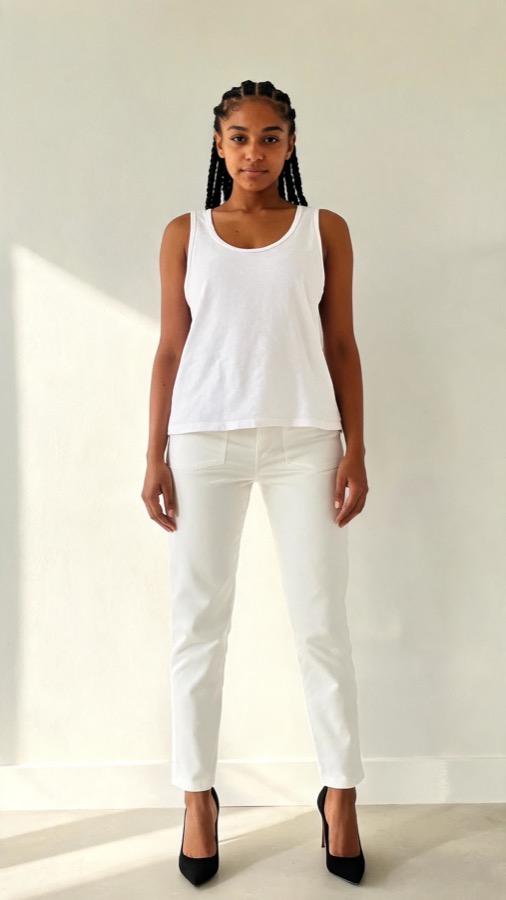

Think of it like this: a photo can inspire, but a video convinces. When your audience sees a dress sway or denim stretch naturally, they instantly connect with the experience. Studies show that video-based content increases engagement by over 80% on social platforms compared to still images.
To understand this better, consider an AI-powered app like Tryfits AI. With just one photo, it can create hyper-realistic video try-ons, showing how each outfit looks in motion. It’s an incredible way to create dynamic visuals without filming multiple outfits or using green screens.
2. Set the Scene: Lighting, Framing, and Composition
Even with the best AI tools, lighting and framing still matter. Think of your virtual try-on as a digital photo shoot. The more natural and even your base image is, the more realistic the final video will look. Good lighting brings out color, texture, and depth – crucial details when showcasing fabrics or patterns.
Use soft, indirect light from a window or ring light. Avoid harsh overhead lighting that casts shadows. Frame your shot from mid-thigh to just above your head, keeping enough space around your figure for AI motion adjustments. Neutral backgrounds work best to prevent visual distractions.
Let me explain why this matters: AI tools rely on visual contrast to define body edges and garment outlines. Poor lighting or cluttered backgrounds confuse the model, leading to unnatural results. Think clean, bright, and minimal for the best outcome.
3. Write a Story for Your Fashion Video
What makes your video memorable isn’t just the outfit – it’s the story behind it. People engage with emotion and narrative. Instead of simply showing the look, create a context. Ask yourself: What moment does this outfit belong to? A first date, a runway rehearsal, a city walk? That context helps your audience connect to your style choices.
To understand this better, think of your AI video as a short scene. The outfit becomes the character, and you’re the director. Use captions or short on-screen text to guide the viewer: “Outfit for my dream job interview” or “Trying my vacation wardrobe.” These small storytelling cues make your content feel intentional and personal.
Apps like Tryfits AI make this easier by letting you preview multiple outfits quickly. You can experiment with themes – like “one dress, three styles” – without needing to change physically. This lets you focus on creative storytelling, not logistics.
4. Master the Editing Process
Once your AI-generated clips are ready, it’s time to refine them. Think of editing as the polish that turns good footage into great content. Start by trimming excess time – attention spans are short, and the first three seconds determine whether someone keeps watching. Use transitions sparingly to keep the focus on the outfit rather than effects.
To make editing easier, structure your clips with rhythm. Pair outfit changes or poses with beats in the background music. Add subtle motion effects, like slow zooms or pans, to create a cinematic flow. Use color grading to maintain visual consistency if you’re combining clips from different lighting conditions.
If you’re new to editing, don’t worry. Tools like CapCut, InShot, or Adobe Premiere Rush are beginner-friendly and mobile-compatible. Combine them with your Tryfits AI video outputs for professional results without needing a full studio setup.


5. Add Personality with Styling and Transitions
AI fashion videos aren’t just about accuracy – they’re about creativity. The best-performing clips combine virtual realism with personal flair. Try adding quick outfit swaps, spin transitions, or before-and-after reveals. For example, show your original look, snap your fingers, and transition into an AI-rendered version wearing a new outfit. This creates a wow moment that instantly grabs attention.
Think of it like magic realism for fashion. You’re blending the real and the virtual to express your personality. Humor, confidence, and authenticity go a long way here. Don’t be afraid to experiment with unexpected styles or colors – AI lets you try them risk-free.
To understand this better, imagine using Tryfits AI to preview multiple outfit combinations. You could create a “Style Evolution” video, showing how one outfit transforms into another based on different accessories or color choices. These transformations not only entertain but also educate your audience about styling possibilities.
6. Optimize for Social Platforms
Creating stunning videos is only half the job. The other half is ensuring people see them. Each platform has its own algorithm and viewer behavior, so you’ll need to adjust your approach slightly for each. For instance, TikTok favors short, high-energy clips with trending sounds, while Instagram Reels rewards consistent posting and aesthetic cohesion.
Let me explain how to approach this strategically. Focus on posting frequency over perfection. A series of consistent, well-lit AI try-on videos builds credibility faster than one viral hit. Use hashtags that reflect your niche, such as #VirtualTryOn, #AIFashion, or #TryfitsStyle. Engage with comments to keep your posts active and visible in feeds.
Cross-promote your videos on multiple platforms. A single Tryfits AI-generated clip can be adapted for TikTok, Instagram, YouTube Shorts, and even Pinterest Video Pins. Repurposing content saves time and multiplies reach.
7. Track Engagement and Learn from Analytics
Finally, treat your AI fashion videos as ongoing experiments. Each post offers data about what resonates with your audience. Most social platforms provide insights like watch time, replays, and engagement rate. Analyze which outfits, lengths, or editing styles perform best, then adjust your next video accordingly.
Think of it like learning your audience’s fashion psychology. Do they prefer minimalist try-ons or colorful transformations? Do they engage more with slow-motion clips or quick transitions? Tracking helps you refine your creative direction over time.
Apps like Tryfits AI can also help by storing your virtual try-on history, making it easy to revisit styles that performed well or to test new ones efficiently. Combine AI feedback with analytics to continually elevate your content quality.
Conclusion: Your Next-Level Fashion Journey Starts Now
Creating AI fashion videos isn’t just about technology – it’s about storytelling, connection, and self-expression. With the right lighting, editing, and creativity, you can turn simple clips into immersive fashion experiences that captivate your audience. Each video becomes a bridge between your virtual imagination and your viewers’ reality.
Whether you’re an influencer, stylist, or curious creator, tools like Tryfits AI make it easier than ever to bring your vision to life. You can experiment freely, preview looks instantly, and share stunning AI-generated videos that showcase your unique sense of style.
Ready to see how that outfit looks on you? Download Tryfits AI today and start turning your fashion ideas into scroll-stopping videos that inspire, engage, and grow your audience.